Your guest list has enough drama already.
RSVP List gives you one private, beautiful page where invited guests can respond, confirm who's coming, and share the details you need — for any celebration, from anniversaries to reunions.
- No full event website to build.
- No public form anyone can fill out.
- No digging through messages to figure out whether Tito's "we'll see!" means one seat, two seats, or zero.
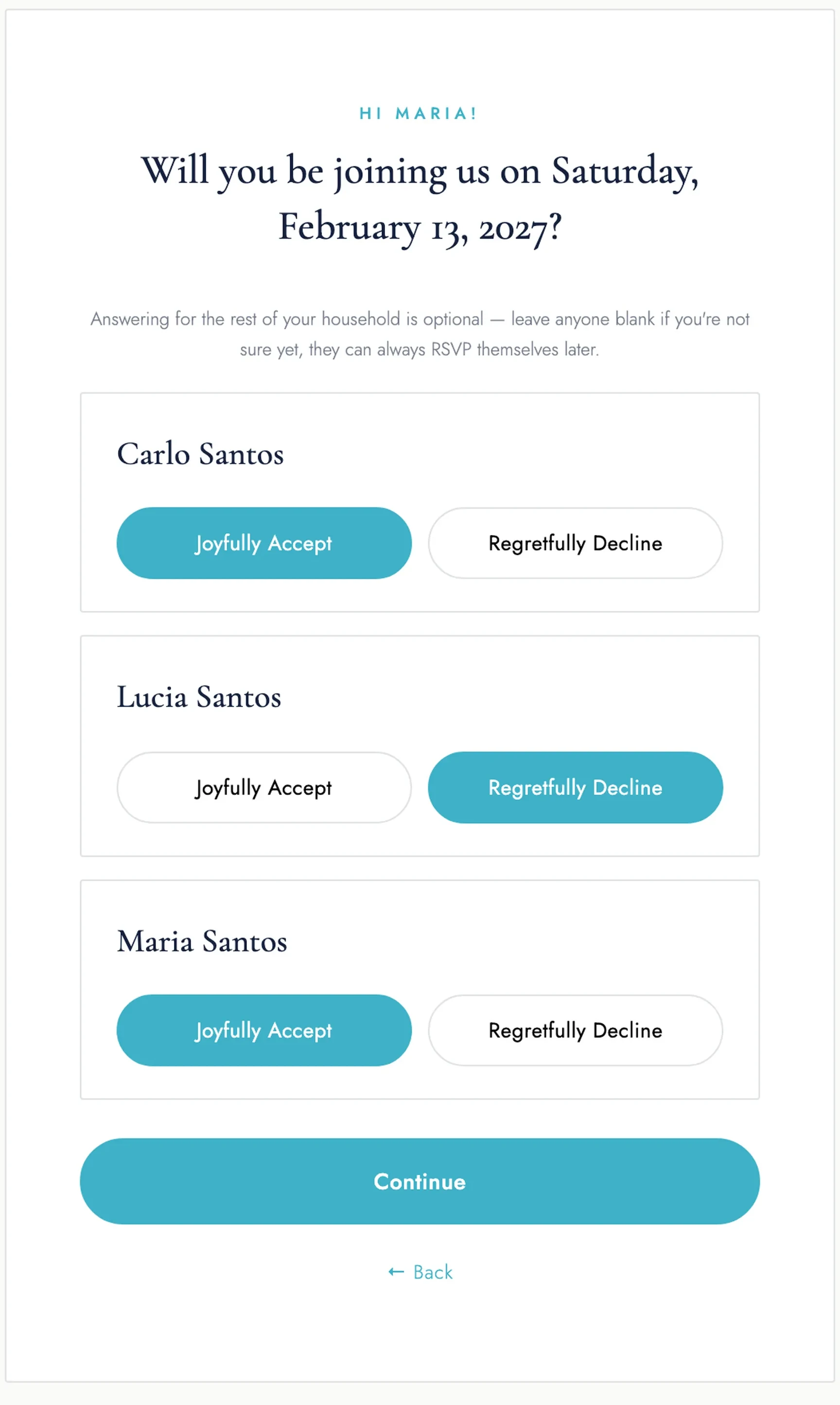
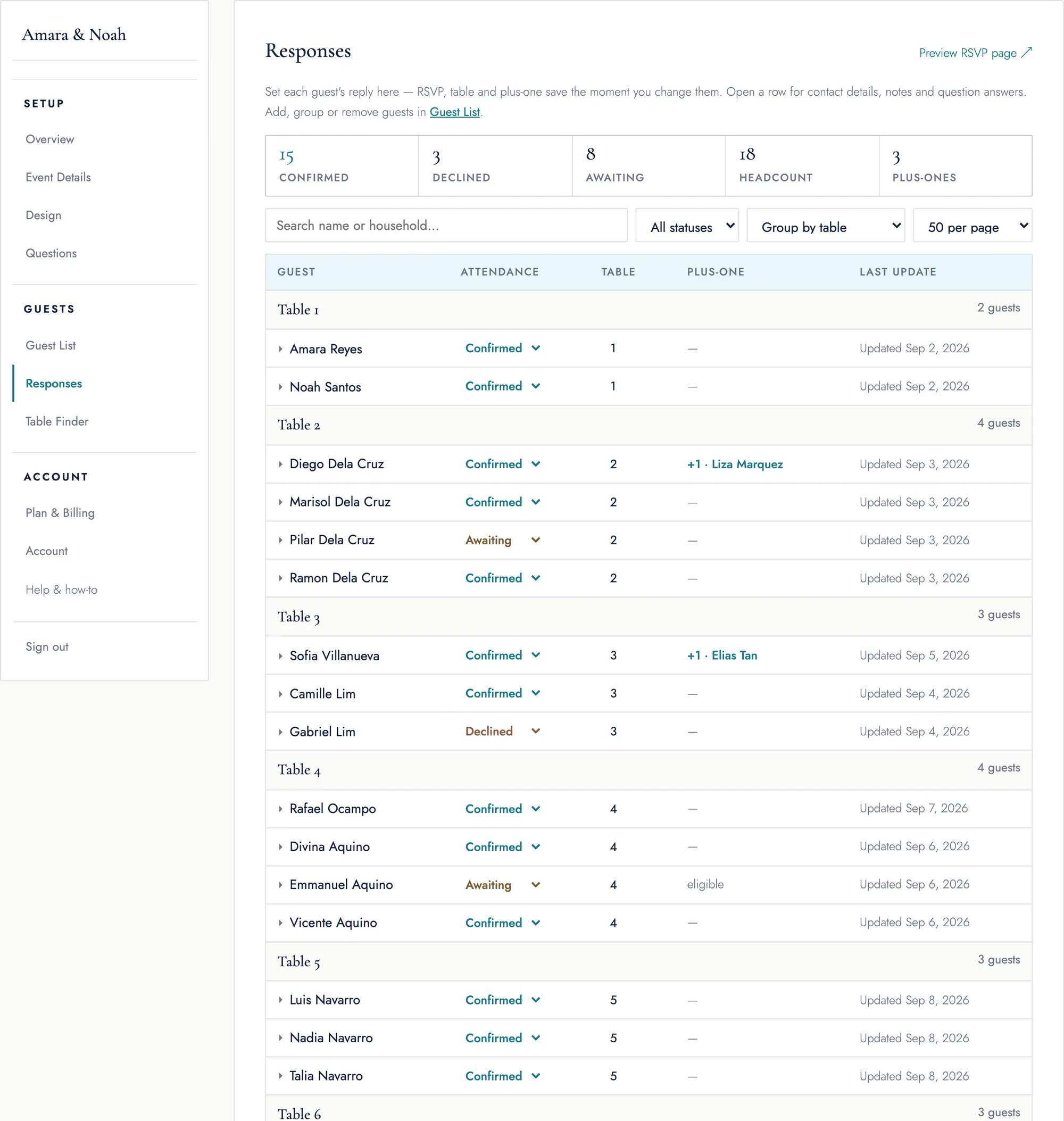
From "Did they reply?" to "Yep, they're confirmed."
You've already got enough event details competing for your attention. Your guest list shouldn't live across a spreadsheet, a form, your inbox, and three different group chats.
With RSVP List, you send invited guests one link and keep their responses together in one place.
- You decide who's invited.
- You decide who gets a plus-one.
- They RSVP.
- Your dashboard stays organized.
So when someone asks for the latest headcount, you know where to look.
Your event RSVP page. Without the whole event website.
You don't need to spend an afternoon building pages you'll never use just to collect RSVPs. RSVP List keeps things focused.
Make it feel like your celebration
Add your event name, date, location, and details to create a polished RSVP page you can share with your invitations.
Keep your guest list private
Add your invited guests before you publish. Only people on your list can submit an RSVP, so your headcount stays under your control.
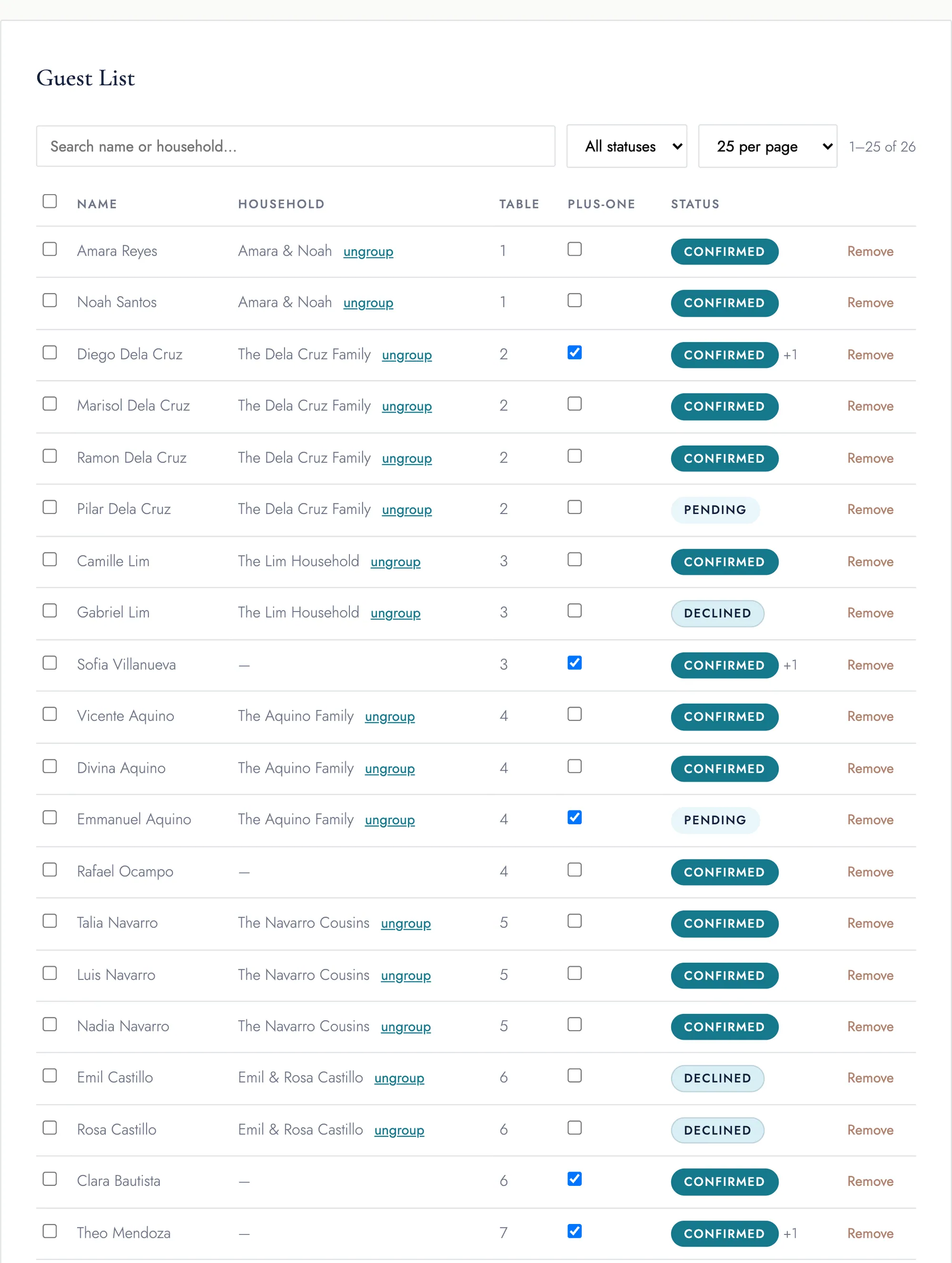
Keep households together
Group families and companions so guests can respond for the people included in their invitation.
Control the plus-ones
You choose who can bring a guest instead of leaving an open-ended plus-one field on a public form.
Ask what you need to know
Add up to five custom questions to collect the details you need from confirmed guests.
Give everyone a deadline
Set an RSVP deadline so guests know exactly when you need their answer.
Give guests peace of mind
After responding, guests get a confirmation screen and email so they know their RSVP went through.
See your answers in one dashboard
Check who's coming and who's declined without scrolling through chats or updating a spreadsheet by hand.
Need the data elsewhere? Export your guest list and responses to CSV.
Already have your guest list? Bring it with you.
Upload your existing guest list or add guests manually. Set up households. Manage plus-ones. Add your questions.
Then share your RSVP page and let RSVP List keep the responses together.
One link for your guests. One list for you.
Pick the guest limit that fits your event
Start free for up to 50 guests, live for 90 days. Paid plans raise the guest limit and include 180 days from first publish.
Up to 150 guests
Planning more than six months out? Add another 30 days for ₱199, as often as you need. Need another event on your plan? Add an extra event slot for ₱199 too.
No credit card to start. Upgrade only if you outgrow the free 50-guest limit; extend anytime if your event runs past its active window.
Your event's best friend for the “who's coming?” part.
You don't need another event planning system to learn. You need an accurate guest list.
RSVP List keeps the job simple: invite the right people, collect their answers, and keep your headcount organized as the big day gets closer — because there are much better things to do before your event than cross-reference a Google Form with Messenger at 11 PM.
Ready to get your guest list out of the group chat?
A few things you might be wondering
Do I need to create a full event website?
No. RSVP List is built around your guest list and RSVPs, so you can create the page you need without setting up an entire event website.
Can anyone RSVP?
Your RSVP page works from the guest list you provide. Add your invited guests first, then send them your page.
Can I manage plus-ones?
Yes. You control which guests are allowed to bring a plus-one.
Can families RSVP together?
Yes. Household grouping lets you organize guests who belong to the same invitation.
Can I ask guests additional questions?
Yes. You can add 3 to 5 custom questions to your RSVP flow.
What happens after someone RSVPs?
They'll see a confirmation screen and receive a confirmation email. Their response will appear in your organizer dashboard.
Can I download my guest list?
Yes. You can export your guest information and RSVP data as a CSV file.
Is there a free plan?
Yes. The free plan covers up to 50 guests and publishes right away, live for 90 days. Paid plans raise the guest limit and stay live for 180 days.
How long does my event stay active?
The clock starts when you publish: 90 days on the free plan, 180 days on a paid plan. After that your page is hidden from guests until you extend it — another 30 days is ₱199, and you can do it as many times as you need.
One less event spreadsheet. One much happier guest list.
Create a private RSVP page, share it with the people you've invited, and watch your headcount come together in one place.